
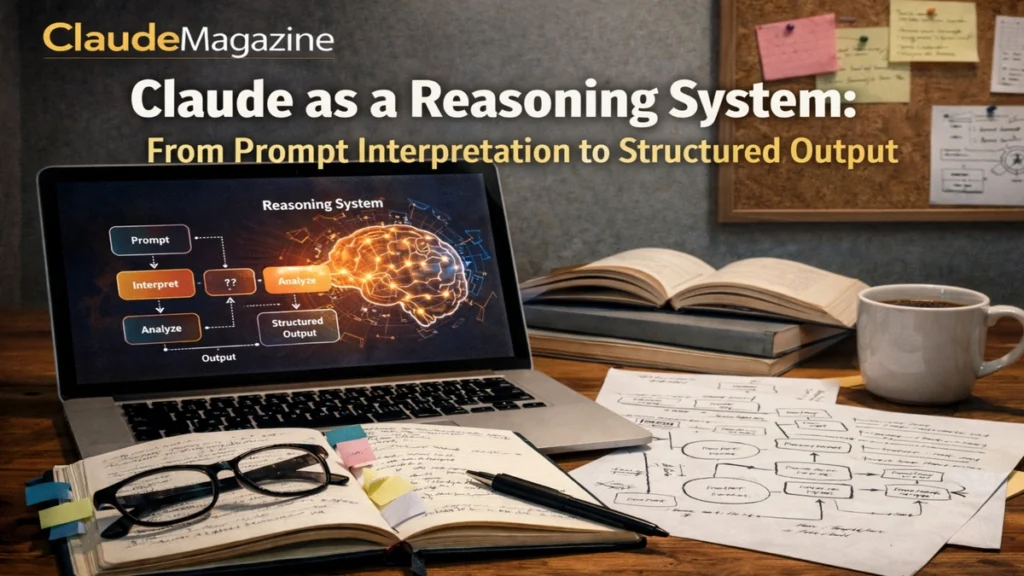

i often explain Claude’s behavior to editors and engineers the same way I would explain a newsroom workflow. There is an assignment desk, a reporting phase, an editing pass, and finally publication. Claude is not conscious, but it behaves as if it follows a similar sequence. When you give it a prompt, it does not immediately start writing. First, it interprets what you want. Then it decides how hard the task is. Then it explores possible solution paths internally, filtering them through safety and policy constraints. Only after that does it present an answer shaped to match your requested format.
This matters because many frustrations with Claude come from misunderstanding where things go wrong. A response that looks confident but misses a constraint usually failed at interpretation. A shallow answer to a complex problem usually failed at effort allocation. A refusal that feels abrupt usually reflects a higher-priority constraint overriding usefulness. When you see Claude this way, as a staged reasoning system rather than a single burst of text generation, its behavior becomes easier to predict and easier to control.
In recent generations, Claude has been designed explicitly as a hybrid reasoning system. It can answer routine questions quickly, or it can slow down and spend more internal effort on harder tasks like multi-step analysis, complex coding, or long-form planning. Over multiple turns, this can feel like collaboration. You refine the task. Claude updates its internal model of goals and constraints. The next answer reflects that updated state. Under the hood, it is still running fresh inference each time, but the loop produces continuity.
This article walks through that pipeline in detail. It explains prompt interpretation, reasoning allocation, internal reasoning patterns, safety steering, structured output, and iterative refinement. The goal is not to mystify Claude, but to make its behavior legible enough that you can work with it deliberately instead of by trial and error.
Prompt Interpretation
From Raw Text to Task Definition
i have found that most Claude failures begin before any “reasoning” happens. They begin when the model misreads the task. The first thing Claude does with a prompt is turn it into an internal semantic map. It decides what kind of task this is, what role it should adopt, what constraints are binding, and what kind of output you expect.
Small wording changes can have large effects here. Adding “step by step” signals that intermediate reasoning is welcome. Adding “be concise” tells the system to favor brevity over explanation. Adding “output JSON only” reframes the task as a formatting exercise with strict constraints. Claude weighs these signals against each other and against its system-level instructions about tone, safety, and honesty.
Ambiguity at this stage is expensive. If your prompt mixes incompatible goals, Claude often tries to satisfy all of them at once. The result can be an answer that is polished but compromised. When the prompt is clear, the internal task map is clear, and every later stage of the pipeline benefits.
Read: Understanding Claude’s Context Window: Memory, Continuity, and Long-Form Intelligence
Reading Between the Lines
Claude also infers intent from what you do not say. If you ask for advice in a sensitive area, it may infer risk and tighten its language. If you provide examples, it treats them as templates. If you specify an audience, it adjusts tone and structure accordingly. These inferences are not guesses in a human sense. They are learned correlations from training on millions of task-like texts.
This is why prompt writing feels powerful and fragile at the same time. You are not programming in a strict language. You are shaping a probability distribution over interpretations. The more explicit you are about role, scope, and deliverable, the less Claude has to infer.
Allocating Reasoning
Fast Path and Deep Path
i describe Claude’s internal effort as a budget it allocates per task. Some prompts are cheap. Others are expensive. A straightforward factual question usually triggers a fast path. Claude leans on familiar patterns and responds almost immediately. A complex question with multiple dependencies often triggers a slower path. Claude spends more internal steps evaluating constraints, exploring alternatives, and checking consistency before producing text.
You can see this difference in everyday use. Sometimes Claude answers in a sentence. Other times it pauses longer and produces a layered response with sections, caveats, and checks. That is not randomness. It is the system allocating more compute because the task appears harder or riskier.
Instructions influence this allocation. Phrases like “think carefully,” “double-check your work,” or “analyze all trade-offs” bias the system toward deeper reasoning. So do tasks that resemble math, logic, architecture design, or multi-document synthesis. In newer versions, products and APIs may also expose explicit controls that allow more or less reasoning per call.
Tradeoffs of Deeper Thinking
More reasoning is not always better. Extended internal exploration can reduce obvious mistakes, but it can also produce longer answers that overfit an initial assumption or wander into unnecessary detail. The practical goal is not maximum thinking, but appropriate thinking. Good prompts help Claude spend effort where it matters and move quickly where it does not.
This is why experienced users often split work into stages. First, clarify requirements. Then ask for options. Then ask for evaluation. Then ask for a final recommendation. Each stage has a different reasoning budget, and the pipeline performs better when those stages are separated.
Internal Reasoning Patterns
Decomposition as Default Strategy
i have noticed that when Claude encounters a complex task, it almost always decomposes it, even if you did not ask for decomposition explicitly. It identifies sub-questions, intermediate steps, or components of a solution. This is why you often see numbered lists or phased plans appear unprompted.
For planning tasks, decomposition looks like outlining steps. For coding tasks, it looks like separating design, implementation, and testing. For analysis, it looks like identifying assumptions, evidence, and conclusions. These patterns are learned. They are stable ways to solve complex tasks that appear frequently in training data.
If you want Claude to reason well, it helps to align with this tendency. Ask it to list requirements before proposing solutions. Ask it to identify edge cases before finalizing an answer. You are not forcing it to think like a human. You are giving it a sequence that matches how it already tends to operate internally.
Hypotheses and Self-Checking
Another common pattern is hypothesis generation followed by internal checking. Claude often forms a candidate answer, then evaluates whether it conflicts with known constraints or earlier statements. When you see Claude revise itself mid-response, that is the surface reflection of this process.
In technical tasks, this can look like proposing an approach, then noting a flaw, then adjusting. In writing tasks, it can look like softening a claim after adding context. These checks are not guarantees of correctness, but they reduce obvious contradictions.
This pattern is stronger when the task is framed as high-stakes or error-sensitive. Asking for tests, validations, or explicit checks increases the likelihood that Claude will engage this behavior.
Maintaining a Local World Model
Within a single response or session, Claude tries to keep entities, definitions, and timelines consistent. It updates local facts as it goes. If you redefine a term, it usually adopts the new definition. If you correct an assumption, later text reflects that correction.
This local consistency is one reason Claude can feel coherent over long answers. It is also a reason errors can persist. If an early assumption is wrong and goes uncorrected, the rest of the answer may be logically consistent but fundamentally flawed. Early validation matters.
Steering With Constraints and Safety
Reasoning Inside Boundaries
i do not treat safety behavior as an afterthought. It is a core part of Claude’s reasoning pipeline. Every potential solution path is evaluated not only for usefulness, but for risk and policy compliance. Some paths are blocked entirely. Others are softened or reframed.
This is why Claude may refuse certain requests or provide partial answers. From the outside, it can look like moralizing or evasiveness. From the inside, it is branch pruning. The system is designed so that safety, ethics, and honesty take precedence over completing a task exactly as requested.
This also affects tone. In areas of uncertainty or risk, Claude tends to use cautious language, acknowledge limits, and avoid overconfident claims. That can frustrate users who want decisive answers, but it reflects a design choice: better to hedge than to mislead.
How Framing Changes Outcomes
The way you frame a task can move it into or out of high-risk territory. A request framed as exploitation may be refused. The same underlying topic framed as prevention, education, or policy analysis may be answerable. Claude is evaluating intent as well as content.
If you want predictable outcomes, make your intent explicit. State the purpose. State what should be avoided. Clear boundaries help the system choose allowed paths instead of guessing.
From Reasoning to Structured Output
Choosing the Shape of the Answer
i think of the final stage as publishing. Claude has an internal sense of what the answer should be. Now it must decide how to present it. This includes choosing structure, ordering information, and matching the format you requested.
If you asked for headings, you get headings. If you asked for a table, you get a table. If you asked for JSON, you usually get JSON. Claude relies heavily on learned templates here. If you provide an example, it treats that example as a mold.
This is why examples are powerful. A short, correct example can do more than a paragraph of instructions. It collapses ambiguity and gives the system a concrete target.
Information Ordering
Claude tends to order information the way experienced writers do. High-level summary first. Details next. Edge cases and caveats last. This mirrors expository writing norms and makes answers readable, but it can also hide important qualifiers at the bottom.
If you care about a specific detail, ask for it explicitly. Do not assume it will appear in the summary. Claude’s default ordering favors clarity over exhaustive precision.
Table: From Internal Reasoning to User-Facing Text
| Stage | Internal focus | What you see |
|---|---|---|
| Interpretation | What is being asked | Clarifying questions or immediate framing |
| Effort allocation | How hard to think | Short vs long, layered responses |
| Solution exploration | Candidate paths | Options, steps, alternatives |
| Constraint filtering | What is allowed | Refusals, scoped answers, caveats |
| Rendering | How to present | Headings, lists, tables, code |
Iterative Refinement With the User
The Illusion and Reality of Collaboration
i often hear users say Claude “remembers” their project. What actually happens is simpler and more fragile. Each turn is added to the context. Claude updates its internal representation of goals and constraints based on that context. The next answer reflects the updated state.
This loop can feel collaborative, especially over several turns. You correct a requirement. Claude adapts. You refine the scope. Claude narrows the answer. Over time, the system behaves like a planner that maintains shared state.
The illusion breaks when context grows too long. Earlier decisions may be truncated or summarized away. When that happens, Claude’s internal state becomes incomplete. The fix is not repetition for its own sake. The fix is curation. Keep a short summary of settled facts and current goals. Re-anchor it as needed.
Designing Conversations in Phases
Long projects benefit from phases. Use one phase to define requirements. Another to explore options. Another to implement. Another to review. Each phase can start with a fresh, curated context that includes only what matters.
This approach reduces contradictions and makes errors easier to spot. It also aligns with how Claude’s reasoning pipeline works best: clear task, appropriate effort, focused output.
Open Reasoning and Transparency
When Seeing the Path Matters
In some workflows, the final answer is enough. In others, how Claude arrived at the answer matters just as much. Complex analysis, education, code review, and governance all benefit from visible reasoning.
When Claude is asked to show its reasoning, it often externalizes parts of its internal process: intermediate steps, assumptions, and checks. This makes the answer auditable. You can see where an assumption enters and decide whether to challenge it.
Open reasoning is not free. It can reveal flawed assumptions more clearly, but it can also overwhelm with detail. The key is selective transparency. Ask for reasoning where trust and verification matter. Ask for concise answers where speed matters.
Common Use Cases for Explicit Reasoning
Explicit reasoning is especially useful in multi-step math and logic, debugging unfamiliar code, reviewing complex decisions, synthesizing research, and teaching. In these cases, the reasoning path is part of the value. Claude becomes a thinking assistant rather than an answer oracle.
Takeaways
- Claude behaves like a staged reasoning pipeline, not a single burst of text generation.
- Prompt interpretation is the most common point of failure and success.
- The system allocates more or less reasoning effort based on task complexity and instructions.
- Decomposition, hypothesis testing, and self-checking are recurring internal patterns.
- Safety and policy constraints prune solution paths before answers are rendered.
- Structured output reflects learned templates and your formatting cues.
- Iterative refinement works best when conversations are curated and phased.
Conclusion
i have found that Claude becomes far more predictable once you stop treating it as a mysterious intelligence and start treating it as a system with stages. It interprets, it allocates effort, it explores, it filters, and it publishes. When any of those stages go wrong, the output goes wrong in recognizable ways.
The practical lesson is not to chase perfect prompts, but to design prompts that cooperate with the pipeline. Clarify the task. State constraints early. Provide examples when format matters. Break work into phases. When you do that, Claude’s reasoning feels less like magic and more like craft.
Claude does not reason the way people do, but it can support human reasoning remarkably well when guided properly. That is its real value. Not as an oracle, but as a structured collaborator that turns intent into analysis and analysis into usable language.
FAQs
What does it mean to call Claude a reasoning pipeline?
It means Claude follows stages: interpreting intent, allocating effort, exploring solutions, applying constraints, and formatting output.
How can I get deeper reasoning from Claude?
Use clear prompts that signal complexity, ask for checks or trade-offs, and break tasks into stages rather than one-shot questions.
Why does Claude sometimes ignore a constraint?
Constraints that are vague, buried, or conflicting are easier to miss. Put critical rules in a short, explicit list near the top.
Is extended reasoning always better?
No. Deeper reasoning helps with complex tasks but can add unnecessary length or complexity to simple ones.
Can Claude revise its thinking over multiple turns?
Yes, within a session. Each turn updates its internal model of goals and constraints, as long as those details remain in context.