

Introduction
i have spent hundreds of hours on video calls over the past few years, both as a participant and as the person responsible for keeping meetings on track. The difference between a productive call and a painful one is rarely about software. It comes down to habits. Video conference tips exist because remote meetings introduce friction that does not appear in face to face rooms, from audio delays to invisible body language.
Within the first few minutes, most people decide whether a call feels worth their attention. That decision is shaped by sound quality, clarity of purpose, and how included participants feel. Poor preparation leads to multitasking, fatigue, and missed decisions. Strong preparation builds trust and momentum, even when people are spread across time zones.
The core idea behind effective video conference tips is simple. Reduce cognitive load so participants can focus on the conversation instead of the technology. That means testing equipment, setting expectations, and structuring meetings so everyone knows when and how to contribute.
Remote and hybrid work are no longer temporary arrangements. According to a 2024 Gallup survey, more than 50 percent of knowledge workers attend video meetings daily. These calls shape decisions, culture, and career outcomes. Improving how they run is not a soft skill. It is a productivity and well being issue.
In this guide, i will break down practical video conference tips that work in real settings, from solo home offices to hybrid conference rooms. The focus stays on preparation, behavior during the call, and follow up practices that prevent meetings from becoming forgettable noise.
Why Video Conference Tips Matter More Than Ever
Video meetings compress communication. Tone, timing, and attention all compete with notifications and screen fatigue. Research from Stanford University in 2021 introduced the term Zoom fatigue, linking constant video calls to higher cognitive strain due to sustained eye contact and limited physical movement.
Effective video conference tips counter these pressures by simplifying interaction. Clear agendas reduce decision paralysis. Good audio removes the need to strain for meaning. Structured turn taking lowers social anxiety, especially for quieter participants.
As organizational psychologist Dr. Steven Rogelberg notes, “Meetings succeed or fail on design, not intention.” That principle applies even more strongly online, where poor design quickly leads to disengagement.
When meetings work well, they do more than exchange information. They reinforce accountability and shared purpose. When they fail, they quietly erode trust. That is why treating video calls as a skill worth practicing pays dividends across teams.
Setup Essentials That Prevent Technical Disruption
i learned early that the fastest way to lose credibility in a virtual meeting is to spend the first five minutes fixing your microphone. Preparation signals respect for other people’s time.
Start by testing audio, video, and internet connectivity at least ten minutes before the call. Headphones with a built in microphone reduce echo and background noise significantly. A 2023 Logitech study found that participants rate meetings as more professional when audio clarity is high, even if video quality is average.
Lighting matters more than most people realize. Face a window or use a soft front light so your face is evenly lit. Avoid strong backlighting that turns you into a silhouette. A neutral background reduces visual distractions and keeps attention on your words.
Camera position influences perception. Placing the camera at eye level creates a sense of direct engagement. Looking down or up at the camera subtly changes how confident and attentive you appear.
During the Call: Professional Habits That Build Trust
Joining a few minutes early sets a calm tone and allows time to resolve last minute issues. Once the meeting starts, muting when not speaking prevents background noise from breaking concentration.
Keeping your camera on when possible fosters connection. Studies from Microsoft Research in 2022 showed that visible participants are more likely to be perceived as engaged and trustworthy. That said, camera use should remain flexible to respect bandwidth limits and accessibility needs.
Use built in tools like hand raise features or chat to manage interruptions. This keeps conversation flowing without people talking over each other. Screen sharing should be purposeful and brief. Share only what supports the current discussion.
Meeting facilitator and author Priya Parker emphasizes, “Attention is the most valuable currency in any meeting.” Good video conference tips protect that currency by minimizing unnecessary distractions.
Meeting Best Practices That Drive Outcomes
Clear structure turns discussion into decisions. Sending an agenda ahead of time allows participants to prepare and reduces on call confusion. At the start, restate objectives so everyone knows why the meeting exists.
Limit multitasking by setting norms. Encourage participants to close unrelated tabs and silence notifications. While enforcement is difficult, explicit expectations raise awareness.
End every meeting with action items, owners, and deadlines. Without this step, even good conversations fade quickly. Harvard Business Review reported in 2020 that teams who document decisions and next steps immediately are 25 percent more likely to follow through.
Below is a simple comparison of meeting outcomes with and without structured practices.
| Practice Included | Typical Outcome |
|---|---|
| Clear agenda | Focused discussion, faster decisions |
| Defined roles | Balanced participation |
| Action items | Higher follow through |
| Time limits | Reduced fatigue |
These video conference tips turn meetings into tools instead of obligations.
Making Hybrid Meetings Fair for Remote Participants
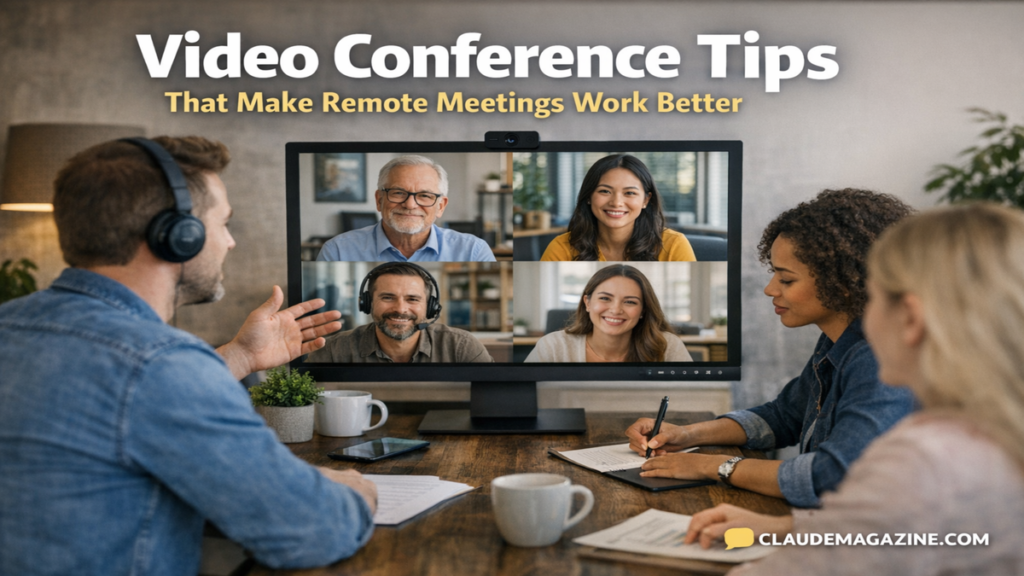
Hybrid meetings introduce a new risk. In room participants often dominate discussion, while remote attendees become observers. Preventing this requires deliberate inclusion.
Before the meeting, share materials digitally so remote participants are not catching up in real time. Test room microphones and cameras to ensure remote attendees can hear side conversations.
Assign roles to distribute responsibility. A facilitator guides the agenda. A chat monitor watches for questions and comments from remote participants. A tech contact handles issues quickly.
During the meeting, acknowledge remote participants by name and invite their input early. Alternating formats such as polls or breakout rooms keeps engagement high. Ban side conversations in the physical room so everyone stays in the same discussion.
Organizational consultant Lisette Sutherland notes, “Inclusion does not happen by accident in hybrid meetings.” Strong video conference tips make equity a design choice, not a hope.
Tools and Features That Support Better Meetings
Modern platforms offer features designed to reduce friction. Knowing when to use them matters more than using all of them.
| Feature | Best Use Case |
|---|---|
| Polls | Quick consensus checks |
| Breakout rooms | Small group discussion |
| Live captions | Accessibility and clarity |
| Recording | Absent participants, review |
Recording meetings should be intentional. Always inform participants and clarify how recordings will be used. Over recording can reduce openness, especially in sensitive discussions.
From firsthand experience, the most effective teams choose a small set of features and use them consistently. Familiarity builds confidence and speed.
Takeaways
- Preparation reduces cognitive load and builds credibility
- Audio quality matters more than video resolution
- Clear agendas prevent drift and disengagement
- Inclusive design is essential for hybrid meetings
- Defined roles balance participation
- Action items turn talk into progress
Conclusion
i have come to see video conference tips as a form of respect. Respect for time, attention, and the limits of remote communication. When meetings are designed thoughtfully, they stop feeling like interruptions and start functioning as coordination tools.
The shift to remote and hybrid work has made meeting quality visible in a new way. Weak practices no longer hide behind hallway follow ups or informal cues. Strong practices, on the other hand, scale across locations and time zones.
Applying these video conference tips does not require new software or major policy changes. It requires intention, consistency, and a willingness to treat meetings as a skill worth improving. Over time, these small changes reduce fatigue, strengthen collaboration, and make remote work more sustainable.
Good meetings are not about talking more. They are about making progress together, even when together means a grid of faces on a screen.
Read: Holiganbet Online Betting: Access, Risks, and Responsible Play
FAQs
What are the most important video conference tips for beginners?
Focus on audio quality, stable internet, and a clear agenda. These basics prevent most common problems and improve first impressions quickly.
How can video conference tips reduce meeting fatigue?
Limiting meeting length, reducing multitasking, and using structured turn taking lowers cognitive strain and helps participants stay focused.
Should cameras always be on during video meetings?
Cameras help connection, but flexibility matters. Encourage use without forcing it, especially when bandwidth or accessibility is an issue.
How do video conference tips apply to hybrid meetings?
They emphasize inclusion. Assign roles, acknowledge remote voices first, and eliminate side conversations in physical rooms.
Are recordings part of good video conference tips?
Yes, when used intentionally. Record for documentation or absentees, but always inform participants and avoid overuse.
References
Gallup. (2024). State of the Global Workplace.
Harvard Business Review. (2020). How to Run a Great Virtual Meeting.
Microsoft Research. (2022). The Effects of Video on Remote Collaboration.
Stanford University. (2021). Nonverbal Overload and Zoom Fatigue.